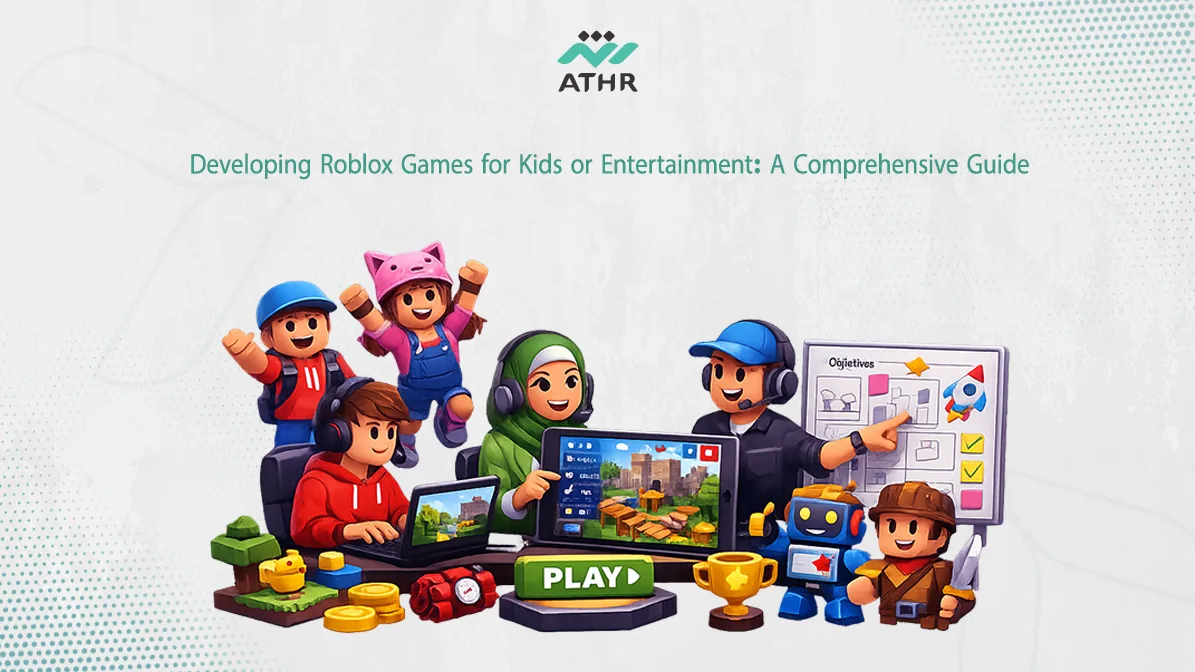
Roblox is the perfect platform for developing interactive games for kids. If you’re thinking of creating a game designed for children, this article provides a comprehensive guide on how to Roblox Game Development for Kids using the tools available on Roblox, ensuring both safety and interaction.
Contact us now 📩 and start designing your game on Roblox with Athr Studio!
Best Ideas for Developing Fun Roblox Games for Kids
When developing Roblox games for kids, the game should be easy to understand, enjoyable, and spark imagination. Here are some ideas that can help you design fun games for kids:
Educational and Pedagogical Games on Roblox
Adding an educational aspect to Roblox games for kids can make them more than just a source of entertainment. Ideas for educational games you can develop on Roblox include:
- Math and Science Games: Design games that integrate math or science concepts through interactive adventures, helping children learn while having fun.
- Motor Skills Development Games: Games that require kids to complete tasks using physical interaction, such as games that ask children to move characters through stages based on navigation and clicking.
- Critical Thinking Games: Develop games that focus on solving puzzles or complex goals, encouraging children to think critically and make smart decisions.
How to Make Roblox Games Fun and Safe for Kids?
It is crucial that safety is an essential part of the design and development process of Roblox games, especially when it comes to children.
💡 Tips for Achieving This:
- Ensure Privacy Protection: Make sure the game respects children’s personal privacy and adheres to international data protection standards such as COPPA (Children’s Online Privacy Protection Act).
- Set Up Parental Controls: It’s important to provide parental control tools that allow parents to monitor and ensure that their children interact with age-appropriate content.
- Violence-Free Games: Avoid adding any violent or inappropriate content. Make the game full of enjoyable activities that encourage creativity and collaboration rather than violence.
- Safety and Interaction Testing: Before launching the game, ensure that safety and security are tested thoroughly to identify any issues or vulnerabilities that could put kids at risk.
“Every idea has a beginning! Contact us now and start working with Athr Studio on your unique game!”
How to Develop Interactive Roblox Games for Kids to Stimulate Creativity
When developing interactive games for kids on Roblox, you need to consider the importance of stimulating creativity in players. The game should give children the opportunity to explore new environments, make different decisions, and interact with game elements in ways that encourage them to unleash their imagination.
- Add Interactive Levels: The game should have levels with increasingly difficult challenges. As children overcome these challenges, they’ll feel proud and motivated to keep playing.
- Customization and Modification: One of the best ways to encourage creativity in children is to allow them to customize characters or environments. Consider adding elements such as color customization, outfits, and tools that players can use.
- Rewarding Incentives: Offering rewards, such as coins or cosmetic items, for successfully completing tasks encourages children to improve their skills and create more content.
Using Advanced Tools to Make Games Interactive
Roblox offers a wide range of advanced tools that you can use to enhance interactivity in your games.
Some common tools include:
- Roblox Studio: One of the most important tools for game development on Roblox. It allows you to write interactive scripts, enabling advanced functions such as challenges or rewards.
- Artificial Intelligence (AI): Using AI can add depth to the game. For example, AI can create real challenges for kids by simulating enemy behavior or altering the environment based on player performance.
- Social Interaction: With tools like text chat and voting, kids can interact with one another, enhancing the social and collaborative value of the game.
Best Technologies to Attract Kids in Interactive Roblox Games
Here are some essential techniques you can use to make games more attractive to kids on Roblox:
- Augmented Reality (AR): Adding AR elements to Roblox games can provide an immersive interactive experience. For example, you can integrate real-world images or objects into the game’s environments, making it more exciting for kids.
- Advanced Graphics: The quality of graphics plays a significant role in capturing kids’ attention. Use engaging and realistic 3D graphics to present environments full of exciting details.
- Interactive Sound Design: Sound is a crucial factor in attracting kids to games. Sound effects that enhance interaction, such as button sounds or effects when tasks are completed, add another dimension to the experience.
- Daily Challenges: Adding daily challenges or tasks encourages kids to return to the game regularly. These challenges can range from completing small tasks to competing against other players.
🎓 Create Exciting Educational Games for Kids in the UAE: Discover the Key Steps to Designing Them!
Is Roblox the Best Option for Kids’ Game Development?
Roblox is more than just a gaming platform; it’s a comprehensive development environment that allows developers to create interactive and programmable games with a huge global community of players. While there are many gaming platforms available, Roblox stands out with a range of features that make it the best choice for kids’ game development, such as:
- Ease of Access: Roblox is available on most devices, including PCs, smartphones, and tablets, making it a flexible platform for kids to play and create games.
- Powerful Development Tools: Roblox offers professional development tools like Roblox Studio, allowing developers to create immersive experiences using the Lua programming language, which is perfect for kids starting to learn coding.
- Interactive Community: Roblox’s community is one of the largest and most interactive online communities, enabling kids from all over the world to connect and collaborate.
Comparison Between Roblox and Other Kids’ Gaming Platforms
When comparing Roblox with other platforms like Minecraft or Fortnite, we see that each platform has its own unique strengths. Here’s a comparison between Roblox and some of these platforms:
Feature | Roblox | Minecraft | Fortnite |
Main Objective | Game development and playing | Building worlds and adventuring | Battle royale and team fighting |
Game Development | Allows kids to design their own games | Limited tools for game development | No game development tools |
Types of Games | Variety: Adventures, Educational, etc. | Building and world exploration | Battle royale games |
Suitable for Kids | Suitable for all ages | Suitable for kids | Suitable for teens and adults |
Social Interaction | Interacting with other players in designed games | Limited group interaction | Group interaction in live battles |
Benefits of Using Roblox in Teaching Kids
Roblox is not just a fun platform for kids but also a powerful tool for teaching them new skills. Here are some educational benefits of using Roblox:
- Learning Programming: Roblox offers kids the opportunity to learn programming using Lua, which enhances logical thinking and problem-solving skills.
- Critical Thinking and Creativity: By designing their own games, kids can develop critical thinking and creativity. Roblox allows them to create new worlds and experiences, encouraging them to think outside the box.
- Social Interaction: Kids can interact with players from all over the world, which enhances teamwork and collaboration skills.
✅ If you’re looking for a partner in developing innovative games, Athr Studio has a proven track record of success that guarantees the highest standards of quality and innovation.
Key Steps to Roblox Game Development for Kids from Start to Finish
Developing a game for kids requires considering many factors to ensure that it’s not only fun but also safe and appropriate for all ages. Here are the key steps to successfully develop a Roblox game for kids:
Define the Game’s Objective: Education or Entertainment?
One of the first steps in developing a game on Roblox is determining the main objective of the game. Will it be an educational game designed to teach kids new skills, or will it be an entertainment game focused solely on providing a fun experience?
- Educational Games: If the goal is education, the game should include clear educational elements, such as logic-based math games or coding lessons.
- Entertainment Games: If the goal is purely entertainment, it can focus on adventure, interactive play, and open worlds.
🧩 By defining the goal, you can start designing the game in a way that meets the needs of kids and stimulates the type of interaction you want to encourage.
Design a Kid-Friendly and Easy-to-Use User Interface
The user interface (UI) is the first thing players see when entering the game, so it’s crucial that it is easy to use and visually appealing for children. The UI should be simple, with clear and understandable buttons.
Tips for Designing a Kid-Friendly UI:
- Large and Clear Buttons: Kids prefer buttons that are visible and easy to click. Ensure that the buttons are large enough with clear text.
- Bright Colors: Use bright, eye-friendly colors, but avoid overly strong colors that may strain the eyes.
- Icons and Visual Menus: Using icons and pictures in game menus is helpful, as they are easier for children to understand than long text.
🎧 Contact the Athr team to easily create a game suitable for kids!
How to Design Roblox Games for Kids at a Global Standard?
Designing a Roblox game for kids requires a blend of creativity and technical knowledge. However, to reach a global standard, several key aspects need to be considered:
Strategies for Designing Kid-Friendly Roblox Games
When developing Roblox games for kids, it’s crucial to focus primarily on the user experience, such as:
- Simple Interactive Design:
Use simple, engaging user interfaces (UI) for kids. Large, visible buttons make it easier for children to navigate within the game.
Ensure interactions are direct and quick, minimizing the number of steps required for players to reach their goals. - Colors and Graphics:
Use vibrant, appealing colors and graphics that aren’t overwhelming. Ensure that the color contrast is appropriate to make essential elements stand out.
Keep the game’s environments simple so objects and elements are easy to distinguish. - In-Game Help and Guidance:
Provide integrated visual or text-based instructions to help kids understand how to play. You can use avatars or illustrative icons instead of long text instructions.
Challenges You Might Face and How to Overcome Them
Developing Roblox games for kids can come with various challenges that might hinder the game’s success. Here are some challenges and ways to overcome them:
- Challenge 1: Optimizing the Gameplay Experience Across Multiple Platforms
✔️ Solution: Ensure that the game runs smoothly on different devices, including PCs, smartphones, and tablets. Use Roblox’s built-in testing tools to ensure compatibility across all devices. - Challenge 2: Ensuring Game Safety
✔️ Solution: Since kids are the primary audience, it’s essential to ensure the game is free from harmful content. Consider using parental control tools and content verification methods to ensure the game is appropriate for children. - Challenge 3: Ensuring Ease of Use for Younger Children
✔️ Solution: Use interfaces that meet the needs of kids. Make the game easy to navigate by simplifying it and removing unnecessary elements that might confuse children.
To design Roblox games for kids at a global standard, you need to focus on combining innovative ideas, a smooth user experience, and complete safety. By adhering to best practices and overcoming potential challenges, you can provide an exceptional gaming experience for children. If you’re ready to design a Roblox game, Athr Studio is here to help you at every step to achieve success.
📩 Contact us now to start developing your Roblox game and achieve the success you aim for!